Endless Roadrunner
Name: Elizabeth Han
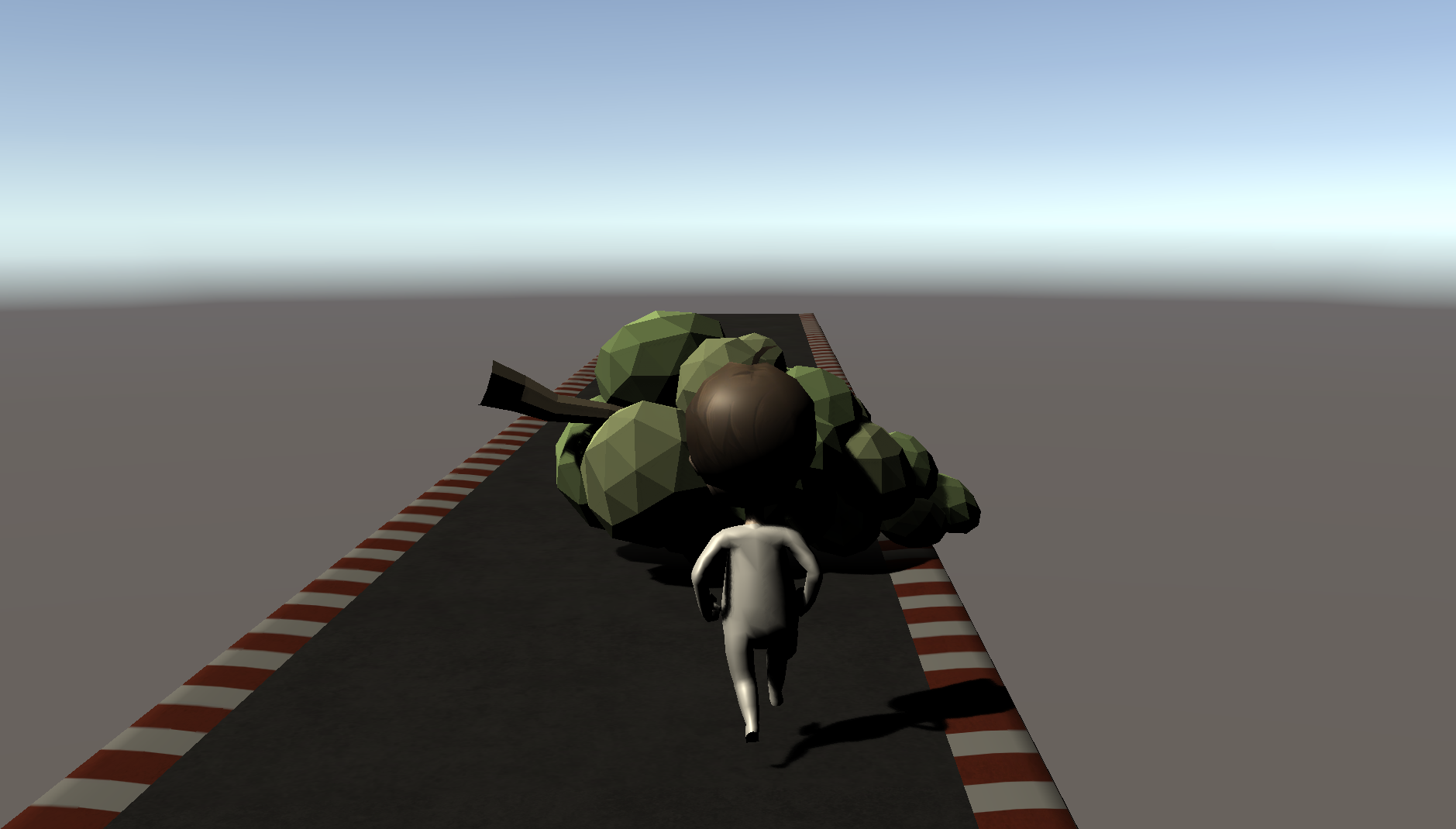
Game Name: Endless Roadrunner
How to play:
Stay on the track for as long as you can! Use the 'left/right arrow keys' to move sideways. Use the 'up arrow key' to jump over the trees. Run through the blue circles for extra speed and challenge.
Failed on the first try? No worries – the game restarts itself whenever you float away from the tracks.
Assets Used:
Character Pack: Free Sample:
https://assetstore.unity.com/packages/3d/characters/humanoids/character-pack-fre...
Modular Track: https://assetstore.unity.com/packages/3d/environments/modular-track-85356
Free Animated Hologram Effect: https://assetstore.unity.com/packages/vfx/shaders/free-animated-hologram-effect-...
Free Trees: https://assetstore.unity.com/packages/3d/vegetation/trees/free-trees-103208
Tutorials Used:
I adopted the "endless road" approach from this video, but modified the code for simplification. (The video teaches you how to shift road blocks continuously by tracking player triggers through empty objects. I decided to track the player's position instead to shift the road blocks.)
I learned how to control character animations from this video, such that the player can go from 'running' to 'jumping'. (More precisely: running -> jump-up -> jump-float -> jump-down)
I learned what makes a satisfying character jump from this video. While the video teaches how a player can land in an organic way by turning the gravity off when the player is on the ground and turning the gravity on when the player needs to land. For my own purposes, I decided to change the RigidBody force on the player instead, all the while leaving the gravity on the entire time.
Reflections:
I learned a lot through this project! The initial steps were very daunting, as I didn't really understand the structure of Unity even after the first three weekends of class. I wasn't sure how to apply even the basic Unity tools we learned without referencing the documentation every 5 seconds (gameObject, RigidBody, GetComponent, GetAxis, etc.) . But after picking away at the project bit by bit, I was able to trudge through and create this small game.
I chose the EndlessRunner, frankly because it seemed the easiest to tackle. I played Subway Surfers a lot in middle school, so I had a natural grasp over how the game should work. It seemed like a suitable direction for my initial foray.
Definite improvements for the future: I wish I had better collisions with the tree objects to make the "bumping" more satisfying. I also wish that the trees "slaps" into the road, rather than hastily bounce about. The jump could also be controlled better. Overall, it's just hard to control the game as of now, so having some more purposeful movements will aid the game a lot.
Some errors to keep in mind for the future: 'NullReferenceException' error will likely come from not linking respective gameObjects in the Unity window. Check off 'static' in gameObjects if you want to make them move.
Download
Leave a comment
Log in with itch.io to leave a comment.